Pettify for pet sitters
Whoever looks after your pet needs the routine, not a long message: what to feed and when, how long the walks are, what is left for today. In Pettify you invite the sitter to your pet, choose view-only or edit access, and they see the same care plan you do on their own phone.
$4.99 a month, or $49.99 a year with a 7-day free trial · iPhone, iPad, Mac and Apple Vision Pro
Updated
What pet sitters keep track of
A sitter follows the pet’s own care plan, which Pettify builds from the breed and these rules. Each comes with its source, and the owner adjusts the times to the pet’s real day.
Meals at set times
Dogs twice a day, cats three times
An adult dog usually eats twice a day (AKC); for a cat, the plan sets three smaller meals, following the AAFP’s advice on frequent small meals. Each meal in the plan has a time, 8:30 am and 7:30 pm by default for two meals, so the sitter keeps the rhythm the pet is used to.
Sources: AKC: How Often Should Dogs Eat?; AAFP Consensus Statement: How to Feed a Cat, 2018
Walks as long as the dog needs
Twice a day, 15 to 60 minutes
Following the Royal Kennel Club’s breed profiles, the plan sets two walks a day of 15, 30, 45 or 60 minutes, depending on how energetic the breed is. A sitter who has never met the dog sees how long to go, not just “walk him”.
Source: Royal Kennel Club breed profiles
Breed notes a stranger would miss
Shown on the task
For a flat-faced breed, the walk task says: short walks in the cool hours, a harness instead of a collar, no walks in hot weather (Royal Kennel Club). For a deep-chested breed at risk of bloat, the feeding task warns against vigorous exercise for an hour before and after meals (AKC).
Sources: Royal Kennel Club: Breathing problems in flat-faced dogs; American Kennel Club breed profiles
The litter box and play for a cat
Scoop daily, play twice a day
For a cat, the daily scoop is in the plan (AAHA and AAFP), and so is play: two 15-minute sessions a day for most cats. Both are easy to forget without the owner around, which is exactly why they are written down.
Sources: AAHA/AAFP Feline Life Stage Guidelines, 2021; AAFP Senior Care Guidelines, 2021
How Pettify helps
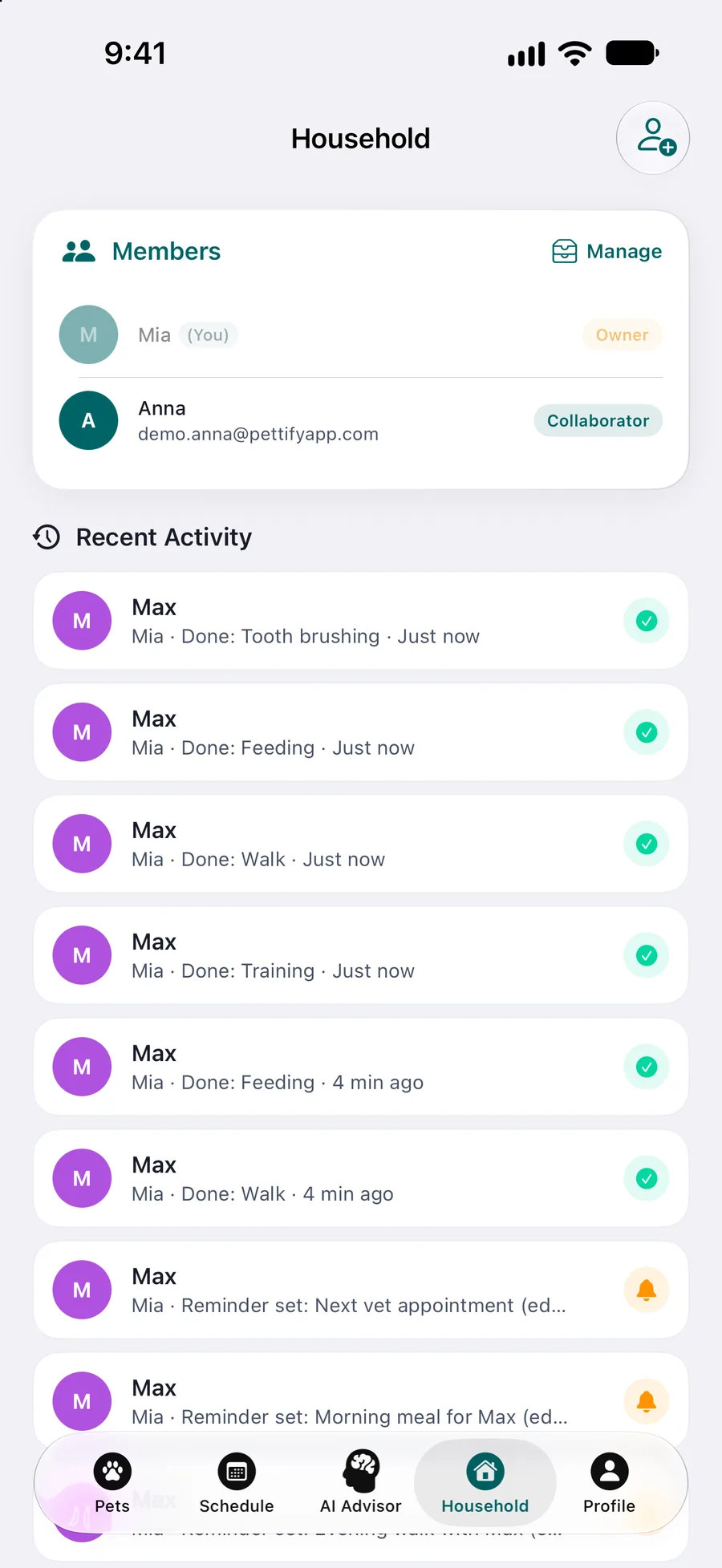
Invite with the right access
Invite the sitter by email or QR code and pick the pet to share. With view-only access they see the pet’s details and history, events, reminders and vaccinations, but can’t add or change anything. Give edit access if they should tick tasks off and log walks. After the stay, change the role or remove access in Household.
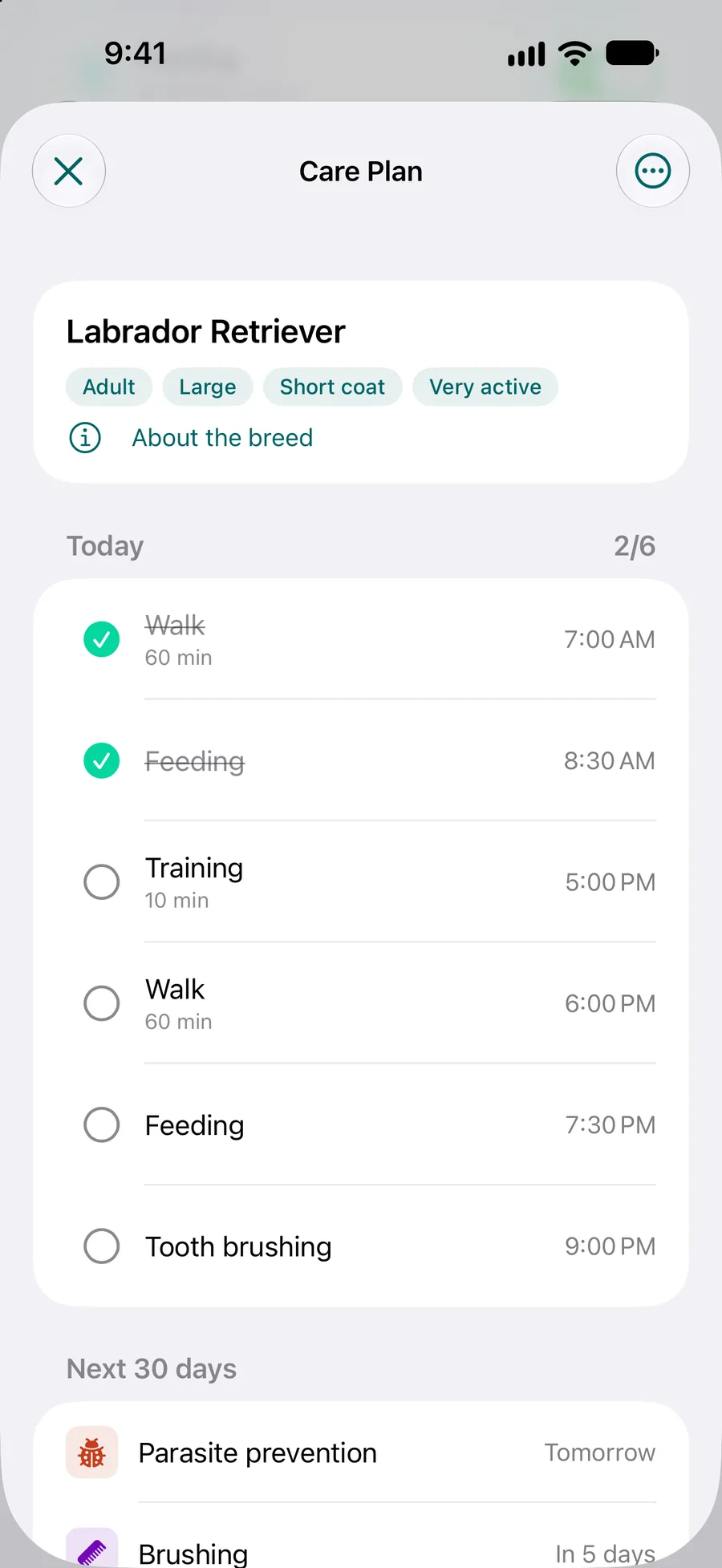
The same plan on their phone
The sitter finds your pet in its own section of their pet list, with today’s tasks first and then the next 30 days. Each task explains why it matters and how to do it, which is often all the instruction a sitter needs.
You see what was done
If the sitter can edit, you get a notification when they log care, and the Household screen keeps a feed of who did what. Once they tick a task off, its reminder stays quiet on your phone.
Toilet entries and a report on paper
A sitter with edit access logs a pee or poop with one tap, and you get a push only for an entry with a warning sign. For a kennel or a sitter who won’t install the app, share the PDF report instead.
What Pettify doesn’t do
Better to know before you invite anyone:
It isn’t a business app for sitters
There are no bookings, payments, client lists or visit reports. A professional sitter sees a client’s pet only if the owner uses Pettify and invites them.
View-only means view-only
With view-only access the sitter can’t tick a task off or add a toilet entry. If you want a record of the stay, give edit access.
No Siri for someone else’s pet
Siri and the quick actions on the app icon log only the user’s own pets. A sitter logs in the app, even with edit access.
The sitter needs an Apple device
Pettify runs on iPhone, iPad, Macs with Apple silicon and Apple Vision Pro. For a sitter with an Android phone, fill in the free pet sitter instructions below and print them.
Free printables for pet sitters
A care sheet to fill in and print, a medication log and the vaccination record a kennel may ask for.
Questions about sharing with a sitter
What does the sitter need?
An iPhone, iPad, Mac or Apple Vision Pro with Pettify, and a Pettify account to accept your invitation. They get the invitation by email, or they scan your QR code.
What can a sitter with view-only access see?
Your pet’s details and history, events, reminders and vaccinations. They can’t add or edit anything, so nothing changes in your pet’s records while you are away.
Can I take access away after the trip?
Yes. In Household, open the sitter and choose Remove access: they can no longer view or edit your shared pets. You can also switch them between view-only and edit there.
Will I know if the sitter fed the cat?
Yes, if they have edit access and tick it off. You get a notification when someone else logs care, and the Household screen shows it in Recent Activity.
What if the sitter doesn’t use an iPhone?
Share the PDF report straight from the app, or fill in our free pet sitter instructions and print them. Paper still works.
Is Pettify free?
The download is free, the app is not. Pettify runs on a Pettify Premium subscription: $4.99 a month, or $49.99 a year with a 7-day free trial first. There is no free tier. You can cancel anytime in your App Store settings. Prices are for the US App Store and may differ in your country.
Sources
- AKC: How Often Should Dogs Eat? akc.org (opens in a new tab)
- AAFP Consensus Statement: How to Feed a Cat, 2018. catvets.com (opens in a new tab)
- Royal Kennel Club breed profiles. royalkennelclub.com (opens in a new tab)
- Royal Kennel Club: Breathing problems in flat-faced dogs. royalkennelclub.com (opens in a new tab)
- American Kennel Club breed profiles. akc.org (opens in a new tab)
- AAHA/AAFP Feline Life Stage Guidelines, 2021. pmc.ncbi.nlm.nih.gov (opens in a new tab)
- AAFP Senior Care Guidelines, 2021. pmc.ncbi.nlm.nih.gov (opens in a new tab)