Pet Care Reminder App for Feeding, Walks and Grooming
Pettify reminds you when it’s time to feed your dog or cat, go for the walk, brush the coat or trim the nails, once or on repeat. Turn on reminders for the tasks in your pet’s care plan or set your own, and when one person ticks a task off, the reminder stays quiet on the rest of the family’s phones.
$4.99 a month, or $49.99 a year with a 7-day free trial · iPhone, iPad, Mac and Apple Vision Pro
What care reminders look like
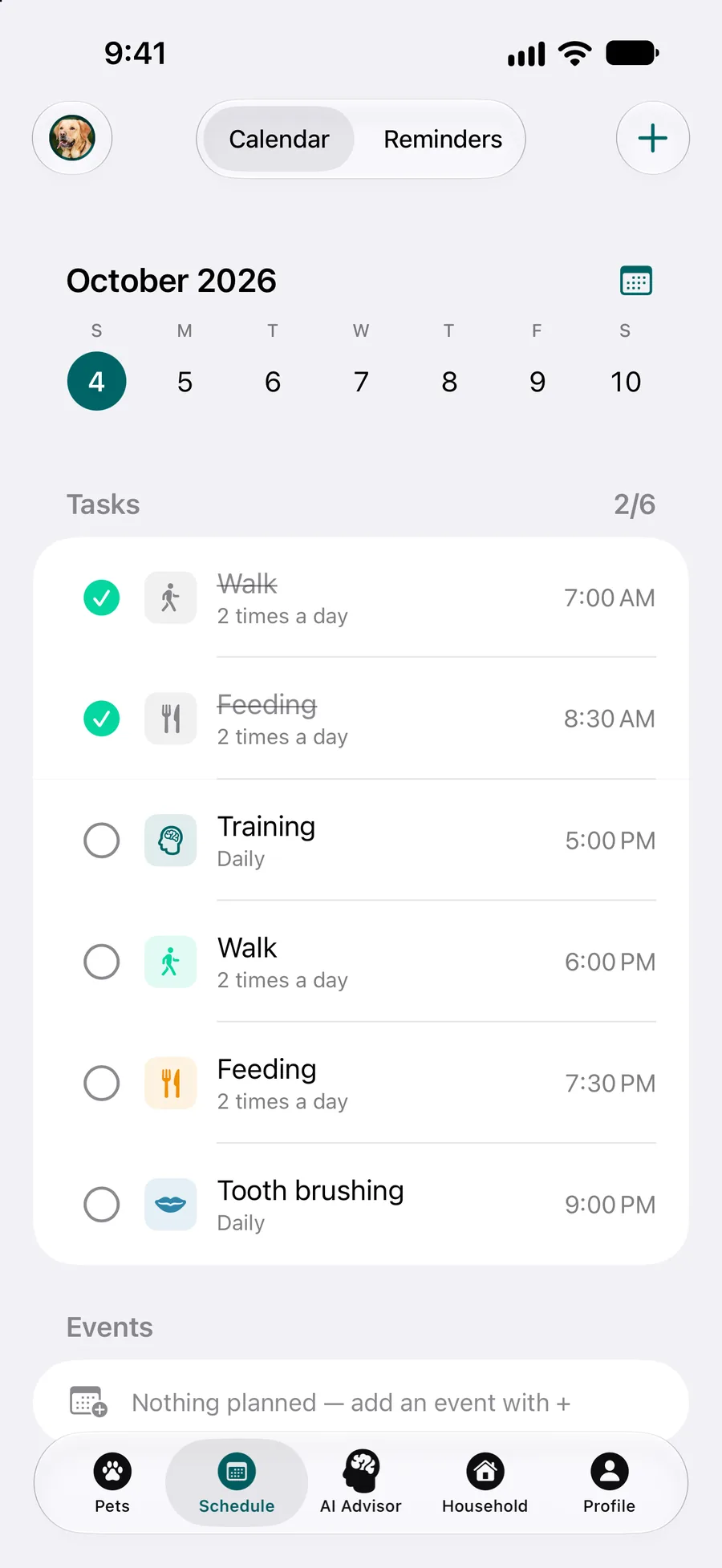
The day, with times
The Schedule tab lists today’s tasks at the times you set: walks and meals twice a day, training and tooth brushing once.
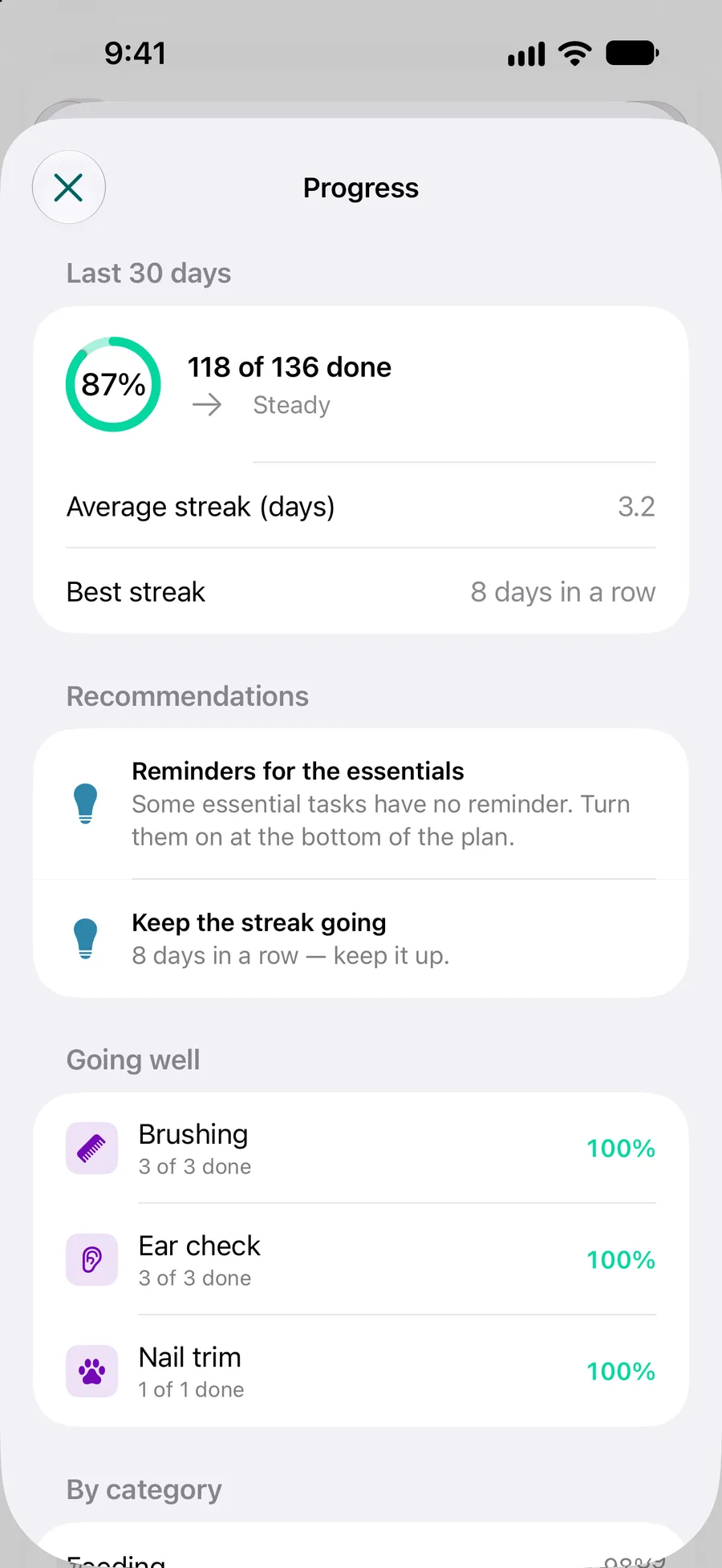
Reminders for the essentials
Progress points out essential tasks that still have no reminder, so you can turn them on at the bottom of the plan.
How it works
Choose what to be reminded of
Turn on the reminder of any care plan task: feeding, walks, brushing, baths, nail trims, tooth brushing and more. For anything else, add your own reminder and give it a type, such as feeding, walk, grooming, bathing, nail trimming or travel.
Set how often
A reminder fires once or repeats daily, weekly, monthly or yearly. A daily one can come several times a day, so breakfast and dinner are one reminder with two times, not two reminders.
Tick it off
When it’s done, tick the task off in the app, or from the Lock Screen if you turn on Dynamic Island. Once it’s ticked on one phone, the reminder stays quiet on the others.
What you get
Act on the notification
A reminder notification has “Mark as Done” and “Snooze for an hour”, for when the walk has to wait until the rain stops.
The next task on your Lock Screen
With Dynamic Island on, the next care task stays on your Lock Screen, and you tick it off there without opening the app.
One walk, one tick
Share the pet with your family and everyone gets a notification when someone else logs care. Nobody feeds the cat a second dinner because they missed a message.
Times that match your day
Care plan tasks come once, twice or three times a day, three times a week, every two weeks, monthly, every three or six months or yearly, at the times you pick.
Everything in one schedule
Care tasks, vet visits, vaccinations and medicines share one calendar, and the pet list shows what’s next for each pet, with overdue items in red.
What care reminders don’t do
Better to know before you download:
“Mark as Done” doesn’t tick the task
“Mark as Done” in a notification only closes that reminder. It doesn’t tick the care plan task, so the family isn’t told: tick the task in the app or on the Lock Screen.
No smart feeders or trackers
Pettify doesn’t connect to automatic feeders, GPS collars or pet cameras. A person ticks the meal or the walk off.
Reminders need notifications on
A reminder is a notification on your device. If notifications for Pettify are turned off in Settings, it won’t appear.
Apple devices only
Pettify runs on iPhone and iPad with iOS or iPadOS 18 or later, on Macs with Apple silicon and macOS 15 or later, and on Apple Vision Pro. There is no Android app, so a helper with an Android phone gets no reminders.
What it costs
The download is free, the app is not. Pettify runs on a Pettify Premium subscription: $4.99 a month, or $49.99 a year with a 7-day free trial first. There is no free tier. You can cancel anytime in your App Store settings. Prices are for the US App Store and may differ in your country.
Choosing between apps? See our pet app comparisons, with prices and features side by side.
Questions about care reminders
Can I get a feeding reminder twice a day?
Yes. A daily reminder can come several times a day, at the times you set. The feeding task in the care plan has its own times too, and you can change them.
What does “Snooze for an hour” do?
It brings the reminder back an hour later. Use it when the task has to wait; tick the task off once it’s really done.
How is this different from medication reminders?
It’s the same reminder system. Medicines and vaccinations have their own pages because they come with more: medicines are recorded at the vet visit, and a vaccination reminder comes 7, 3 and 1 day before the due date.
Do reminders work when the app is closed?
Yes. A reminder is a notification on your iPhone, iPad or Mac, so it arrives whether Pettify is open or not, as long as notifications for Pettify are allowed.
Will my partner get the reminder too?
Share the pet with your partner and you both work from the same care plan. When one of you ticks the task off, its reminder stays quiet on the other phone, and the other gets a notification that it’s done.
Going away?
The free sitter sheet puts feeding times and walks on one page for whoever looks after your pet, and the medication log keeps track of doses.
- Feeding scheduleThe meal plan from your vet or the label, and who fed each meal.
- Deworming and flea logBlank log of every deworming and flea and tick treatment.
- Pet sitter instructionsFill in a form and print a care sheet for your sitter.
- Medication logPrintable PDF to note every dose: when, what and who gave it.
More of what Pettify does
- Medication remindersGet a reminder when your dog or cat is due a pill or drops, tick off each dose, and let your family see it’s done so nobody gives it twice. iPhone, iPad, Mac.
- Vaccination trackerTrack your dog’s or cat’s vaccinations in Pettify: shots due within a month, booster reminders, overdue ones in red and a PDF record for the vet.
- Care planEnter your dog’s or cat’s breed and birth date and get a care plan: feeding, walks, grooming and vaccines, each with why and its source. 138 breeds. iPhone.
- Family sharingShare your dog’s or cat’s care plan and diary with family by email or QR code. Choose who can edit, see who did what, and feed the dog once, not twice.