Pet Weight Tracker App: Weight Charts for Dogs and Cats
Pettify keeps your dog’s or cat’s weight and temperature as health records and draws them on a chart for a week, a month, three months, a year or all time. The PDF report for your vet includes the weight trend of the last 12 months, so a gain or a loss is easy to show.
$4.99 a month, or $49.99 a year with a 7-day free trial · iPhone, iPad, Mac and Apple Vision Pro
What weight tracking looks like
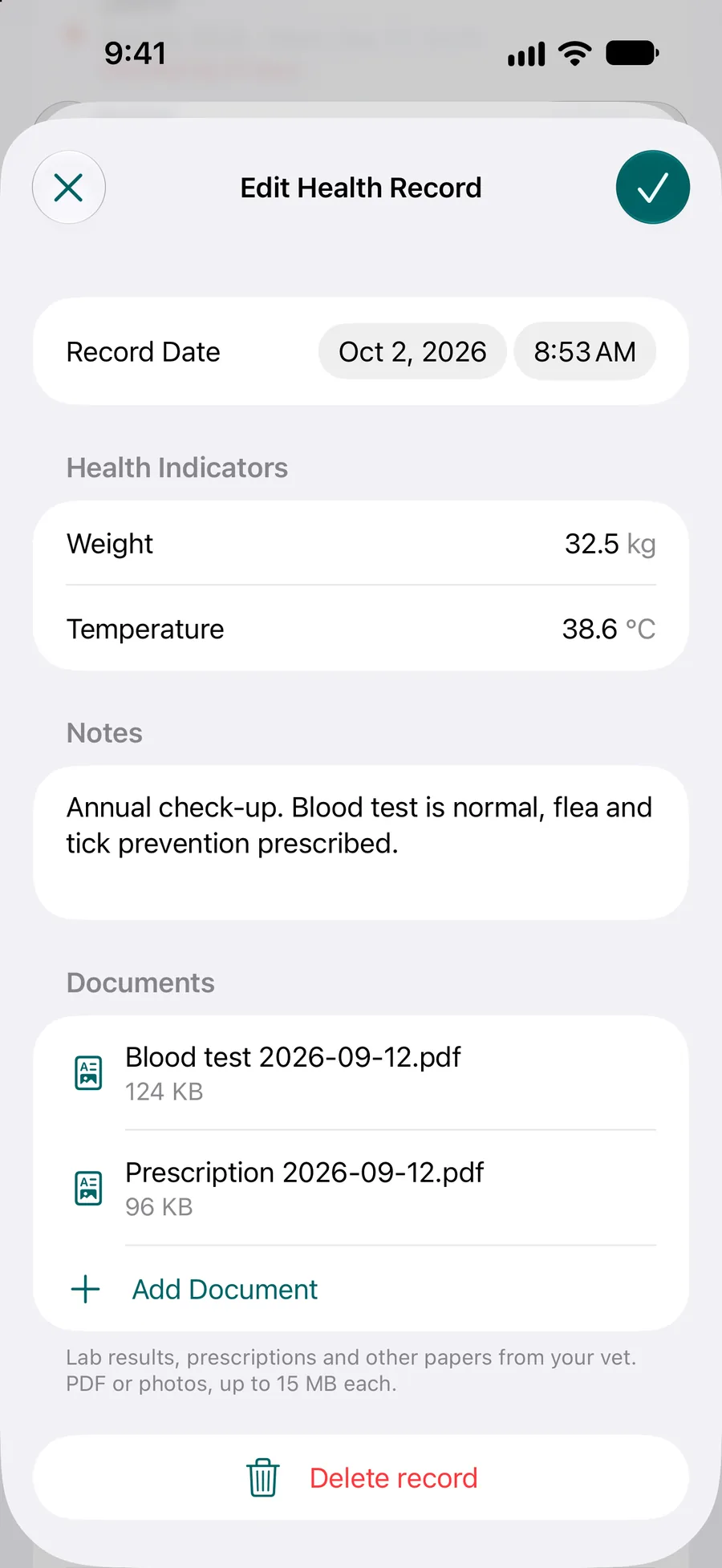
One weighing, one record
A health record keeps the date, the weight, the temperature and a note, with lab results or other papers attached if you have them.
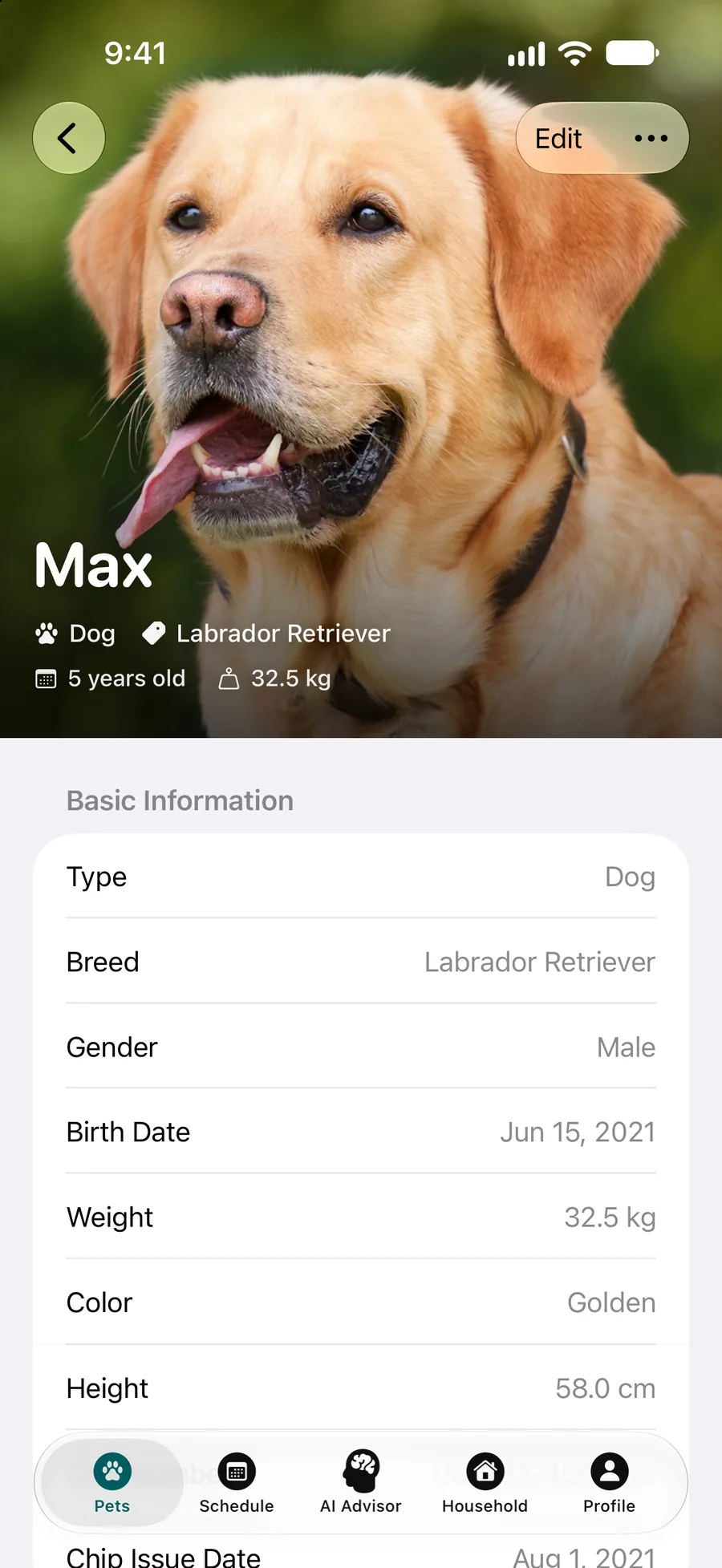
Weight at a glance
The pet’s profile shows the breed, the age and the weight at the top, next to the rest of the details.
How it works
Weigh and write it down
Open Health Tracking from your pet’s profile and add a health record: the date, the weight in kilograms and, if you took it, the temperature in °C. Add a note or attach a document when it helps.
Watch the chart
Pick weight, temperature or both, and a week, a month, three months, a year or all time. The latest value sits on top with an arrow that shows whether it went up or down since the record before.
Take it to the vet
Export the PDF report from the pet’s profile. With at least two weighings in the last 12 months it draws the weight trend, and it lists each health record with its weight and temperature.
What you get
Numbers for any period
Statistics gives the average, lowest and highest weight for the period you pick and the trend, and the same for temperature, so “has she gained since spring?” has an answer.
A reason to weigh regularly
The care plan includes a weight check: once a month for dogs and cats, every two weeks for a puppy, with the source of the advice. Turn on its reminder and the next weighing comes up by itself.
One record for the whole family
Everyone you share the pet with sees the same health records, so whoever took the dog to the vet doesn’t have to text the weight around.
Weight the assistant knows
The AI assistant takes your pet’s breed, age and weight into account when it answers a question. It gives guidance, not a diagnosis.
Next to the rest of the health record
Vaccinations, vet visits with the medicines prescribed at each one, lab results and the care plan sit in the same profile and go into the same PDF.
What the weight tracker doesn’t do
Better to know before you download:
Kilograms and °C only
Weight goes in kilograms and temperature in degrees Celsius; the app has no pounds or Fahrenheit. If your scale shows pounds, divide by 2.2 before you type the number in.
No ideal weight or growth curve
The chart shows your pet’s own numbers. It doesn’t say what your pet should weigh, compare a puppy with a growth curve or tell you whether your pet is overweight: ask your vet about body condition.
No smart scale
Pettify doesn’t read weights from a smart scale or from Apple Health. You type in each weighing yourself.
No calorie counter
There is no calorie or portion calculator. How much to feed for a healthy weight is a question for your vet and the food label.
Apple devices only
Pettify runs on iPhone and iPad with iOS or iPadOS 18 or later, on Macs with Apple silicon and macOS 15 or later, and on Apple Vision Pro. There is no Android app and no web version.
What it costs
The download is free, the app is not. Pettify runs on a Pettify Premium subscription: $4.99 a month, or $49.99 a year with a 7-day free trial first. There is no free tier. You can cancel anytime in your App Store settings. Prices are for the US App Store and may differ in your country.
Choosing between apps? See our pet app comparisons, with prices and features side by side.
Questions about weight tracking
Can I record weight in pounds?
No, Pettify records weight in kilograms. To convert, divide pounds by 2.2: a 20 lb cat or puppy weighs about 9.1 kg. The free printable medical record has a weight table in pounds on US Letter if you prefer paper.
How often should I weigh my dog or cat?
In the care plan, the weight check comes up once a month for dogs and cats and every two weeks for a puppy, and the task names its source. If your vet asks for a different rhythm, change the task’s schedule.
Does the chart show temperature too?
Yes. Choose weight, temperature or both on one chart. Temperature is recorded in degrees Celsius, and Statistics shows its average, lowest and highest value for the period.
Is the weight chart in the PDF report?
Yes. Once there are at least two weighings in the last 12 months, the report draws the weight trend for that time, and its health records table lists each weight and temperature.
Will Pettify tell me if my pet is overweight?
No. Pettify shows how the weight changes, not whether it is right for your pet. The AI assistant can give general guidance with the weight in mind, but it doesn’t diagnose. Your vet can assess body condition.
Prefer paper?
The free medical record has a weight table, in pounds on US Letter and kilograms on A4. The age calculators show which life stage your dog or cat is in.
- Puppy weight chartA blank chart for weekly weigh-ins, then monthly ones.
- Medical recordPrintable PDF: allergies, medications, vet visits, weight and tests.
- Dog age calculatorYour dog’s age in human years by size, plus its life stage.
- Cat age calculatorYour cat’s age in human years, plus its life stage.
More of what Pettify does
- Medical recordsKeep your dog’s or cat’s medical records in Pettify: vet visits, vaccinations, weight, lab results and scans, shared with family and sent to the vet as a PDF.
- Care planEnter your dog’s or cat’s breed and birth date and get a care plan: feeding, walks, grooming and vaccines, each with why and its source. 138 breeds. iPhone.